# Đồng bộ tài khoản ngân hàng

### Mở phần Cài đặt VietQR Plugin trong quản trị WordPress.

<figure><img src="https://lh7-rt.googleusercontent.com/docsz/AD_4nXctuEbGnEqGgqmvaAZ4Kjk9X9D0fWftMMevj_fMK8zb9gyGdsucctDBo2oWgkwOA1i6CfIFvTJ2C9gnok6gR_2efc2_EYRP0y_jNSwKvipsONt-btBGPV34-KIve2RqDodINrYFmgEC9jw-6GB61Q?key=KNO4jW4YArkKaTQtF2r8Xg" alt=""><figcaption></figcaption></figure>

### Sử dụng ứng dụng VietQR trên điện thoại để quét mã QR hiển thị ở trang trên.

<figure><img src="/files/7XJmWIY4Kqq0GuhFWOqq" alt=""><figcaption></figcaption></figure>

* Điền thông tin tài khoản ngân hàng cần liên kết.
* Sau khi nhập xong, nhấn Xác nhận để hoàn tất liên kết.

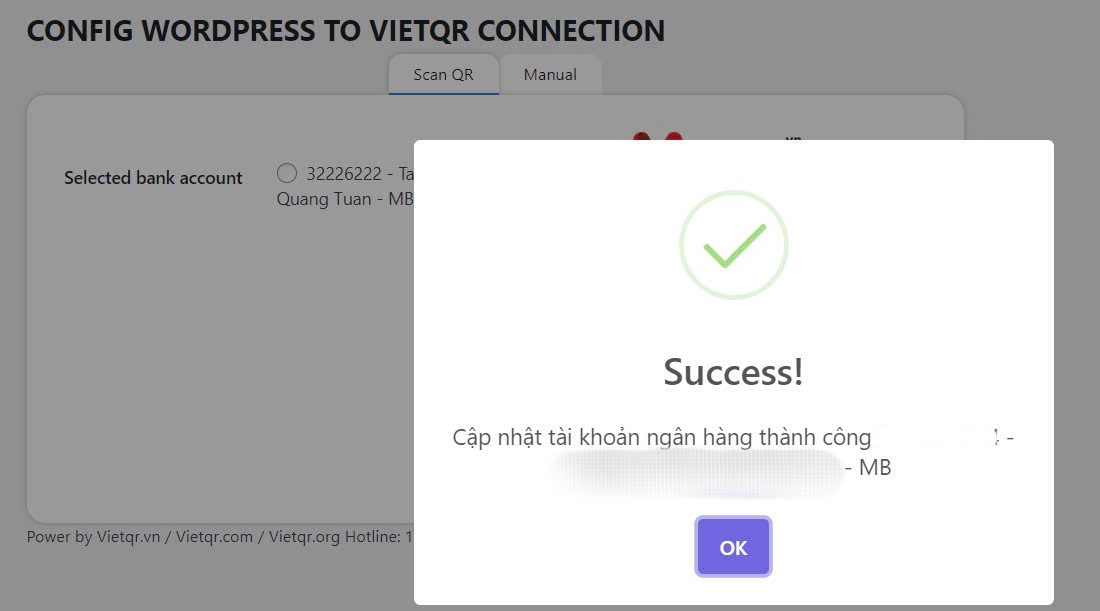
### Sau khi nhấn xác nhận, hệ thống sẽ gửi thông báo thêm TK thành công.

<figure><img src="/files/93PYqxVuBW7lCG5zedKP" alt=""><figcaption></figcaption></figure>

### Bước tiếp theo, hãy chọn tài khoản ngân hàng để tạo mã thanh toán và nhận biến động số dư.

<figure><img src="/files/3rb1IFSUO1MrrqTsedDd" alt=""><figcaption></figcaption></figure>


---

# Agent Instructions: Querying This Documentation

If you need additional information that is not directly available in this page, you can query the documentation dynamically by asking a question.

Perform an HTTP GET request on the current page URL with the `ask` query parameter:

```
GET https://api.vietqr.vn/vi/wordpress-plugin/dong-bo-tai-khoan-ngan-hang.md?ask=<question>
```

The question should be specific, self-contained, and written in natural language.
The response will contain a direct answer to the question and relevant excerpts and sources from the documentation.

Use this mechanism when the answer is not explicitly present in the current page, you need clarification or additional context, or you want to retrieve related documentation sections.