> For the complete documentation index, see [llms.txt](https://api.vietqr.vn/llms.txt). Markdown versions of documentation pages are available by appending `.md` to page URLs; this page is available as [Markdown](https://api.vietqr.vn/korea/vietqr-xin-chao/api-nang-cao/host-to-client/dong-bo-tai-khoan-ngan-hang.md).
# Đồng bộ tài khoản ngân hàng
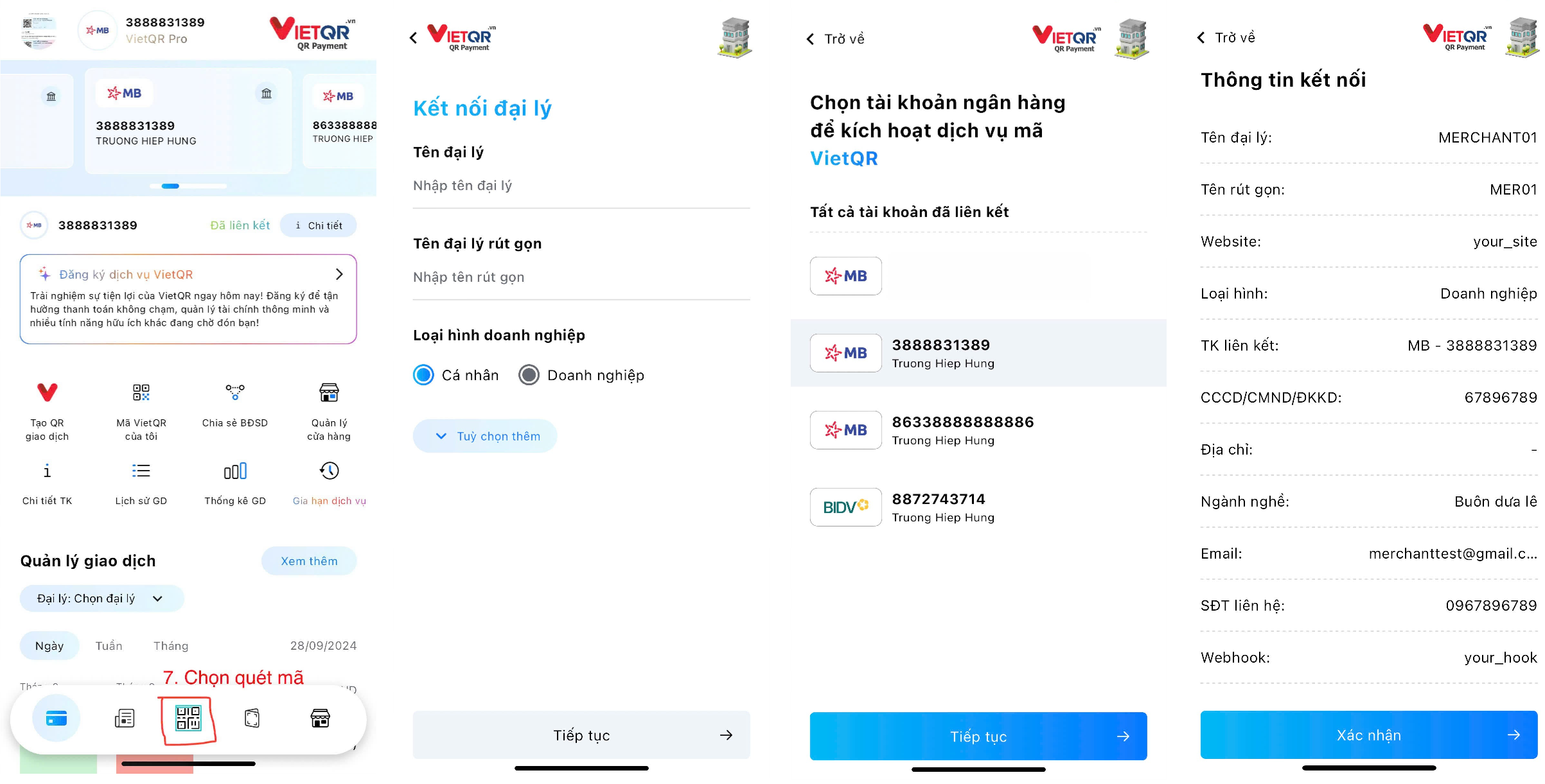
Bước đồng bộ này để chọn tài khoản ngân hàng cần sủ dụng dịch vụ.
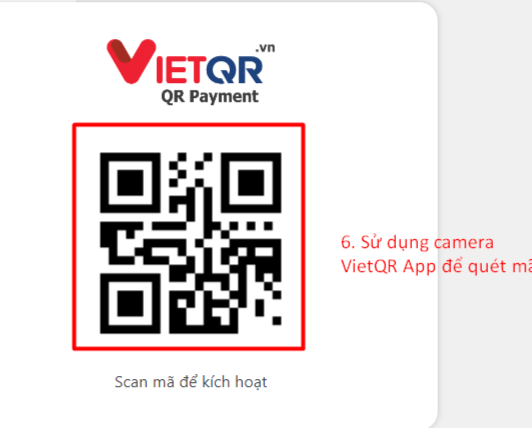
### Hiển thị mã QR kích hoạt dịch vụ được trả về ở *Bước 2: Đồng bộ Ecommerce*.
### Sử dụng ứng dụng VietQR trên điện thoại để quét mã QR hiển thị ở trang trên.
* Điền thông tin tài khoản ngân hàng cần liên kết.
* Sau khi nhập xong, nhấn Xác nhận để hoàn tất liên kết.
{% hint style="success" %}
Thông tin tài khoản ngân hàng sẽ được gửi thông qua websocket để khách hàng có thể sử dụng thông tin tạo mã QR.
{% endhint %}