> For the complete documentation index, see [llms.txt](https://api.vietqr.vn/llms.txt). Markdown versions of documentation pages are available by appending `.md` to page URLs; this page is available as [Markdown](https://api.vietqr.vn/cn/cn/api-vietqr-callback/master-merchant.md).
# MASTER MERCHANT
## 1- API tạo merchant mới :
## 2 - QR ACTIVE ACTIVE (CHIỀU APP VIETQR)
Đối tác Master merchant được cấp API dạng token đê in ra Mã QR hoặc hiển thị trên Web hoặc app của Merchant Giúp khách hàng có thể quét Mã QR lựa chọn tài khoản Kích hoạt dịch vụ :
Ví dụ :
| Mã Active trên thiết bị | Mã Active trên Website | Mã Active trên App |
| ------------------------------------------------------------------------------------------------------------------------------------- | ---------------------- | ------------------ |
| | | |
## 2 - API ATCITIVE (CHIỀU TỪ ĐẠI LÝ)
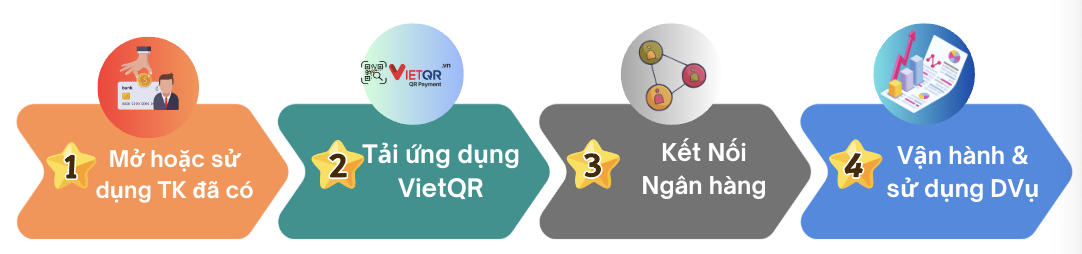
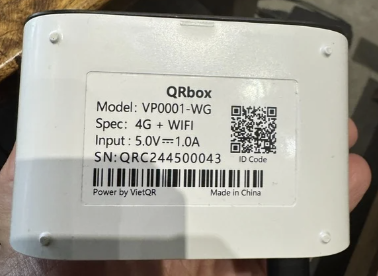
Khách hàng mở ứng dụng VietQR, tiến hành cài đặt và thiết lập QRBox tự động (do VietQR tạo và phê duyệt).
Sau đó, hệ thống thực hiện API call đến Master để kiểm tra trạng thái, xác định thành công hoặc thất bại.
 | | |
## 2 - API ATCITIVE (CHIỀU TỪ ĐẠI LÝ)
Khách hàng mở ứng dụng VietQR, tiến hành cài đặt và thiết lập QRBox tự động (do VietQR tạo và phê duyệt).
Sau đó, hệ thống thực hiện API call đến Master để kiểm tra trạng thái, xác định thành công hoặc thất bại.
| | |
## 2 - API ATCITIVE (CHIỀU TỪ ĐẠI LÝ)
Khách hàng mở ứng dụng VietQR, tiến hành cài đặt và thiết lập QRBox tự động (do VietQR tạo và phê duyệt).
Sau đó, hệ thống thực hiện API call đến Master để kiểm tra trạng thái, xác định thành công hoặc thất bại.